Minimal, keyboard-first timesheet for modern teams
Track time without touching your mouse. A command palette, built-in timer, and deep integrations — so your timesheet fills itself.
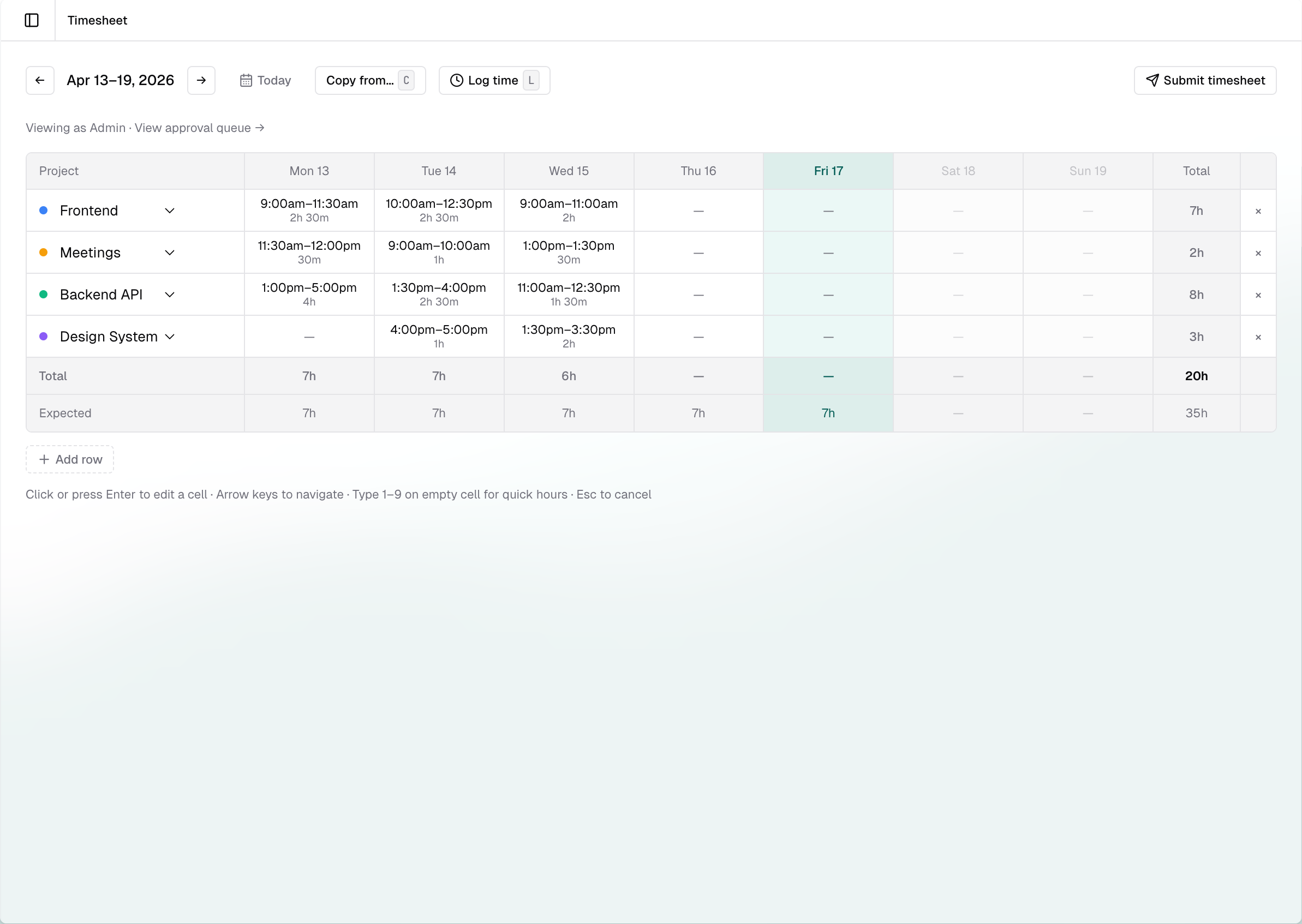
End of the week. You're guessing what you worked on Tuesday.
Your timesheet tool feels like it was built in 2005. It's slow, clunky, and nobody on your team actually fills it in on time. There has to be a better way.
Everything you need, nothing you don't
Built for teams who value speed and simplicity.
Keyboard-first
Command palette, hotkeys for everything, zero mouse required. Navigate your entire timesheet without lifting your hands from the keyboard.
Built-in timer
Start and stop a timer with a single keystroke. Time entries are created automatically — no manual logging at the end of the day.
Linear integration
Connect your Linear workspace and sync issues. Time logged against issues flows automatically — no copy-pasting between tools.
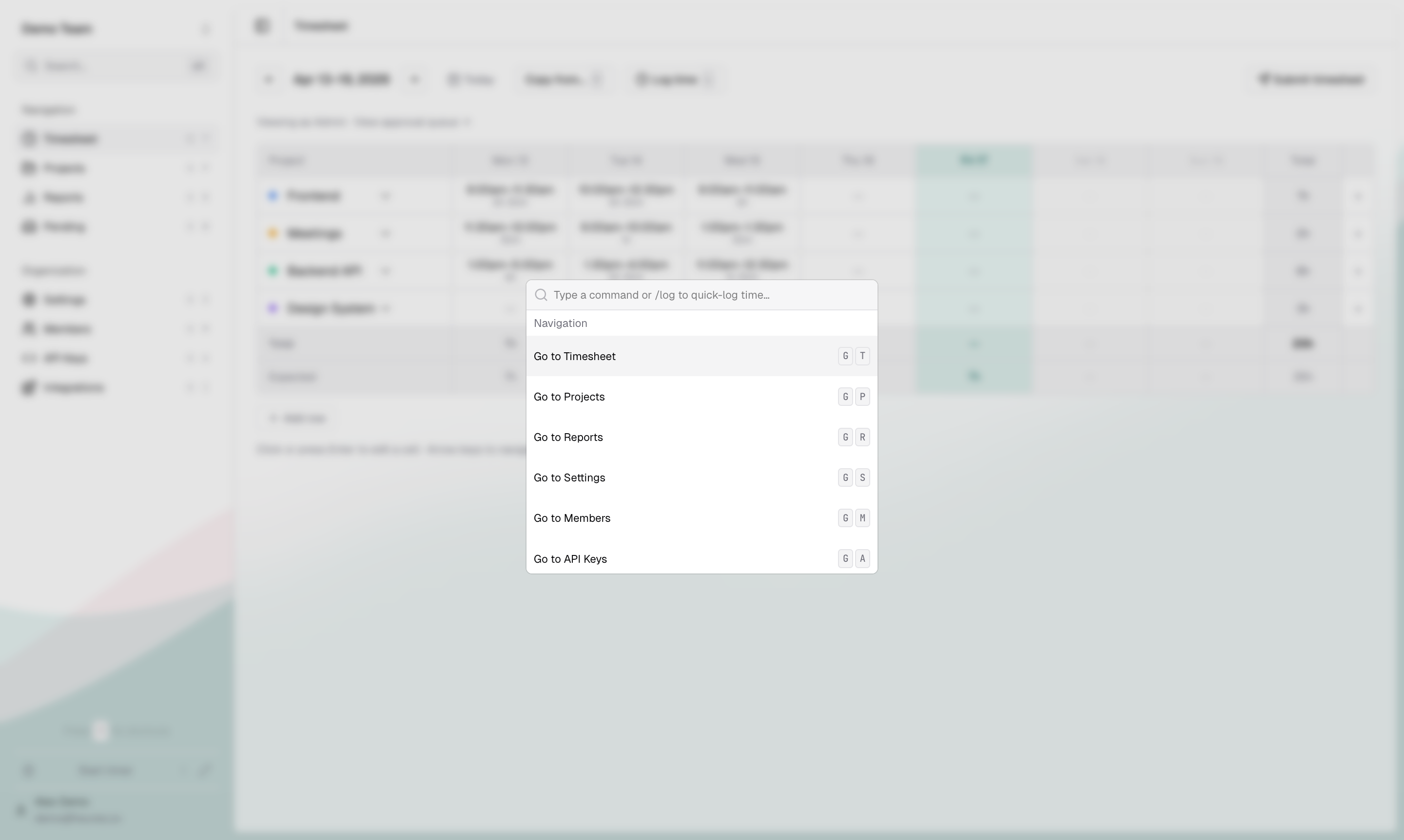
Your hands never leave the keyboard
Every action in Heures has a keyboard shortcut. Open the command palette, start a timer, navigate weeks, submit your timesheet — all without reaching for the mouse.
Ready to try a timesheet you'll actually use?
Join the beta waitlist. We'll send you an invite when your spot opens up.
No spam. Unsubscribe anytime.